SmartBlock: Call & SMS Blocker
Blocks spam calls and scam SMS on the phone itself. Your contacts are never uploaded.
Get it on Google Play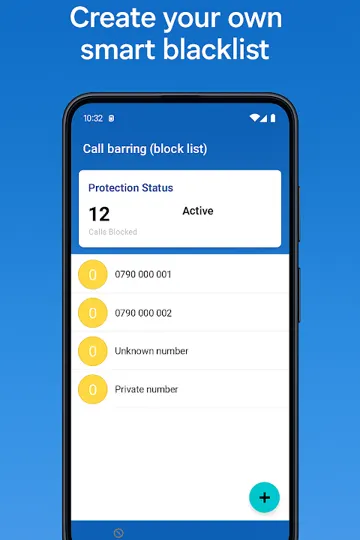
SmartBlock started out as Barring Guard, a simple blocklist. It now does a lot more, but the original rule still holds: the phone does the work, and your contacts and messages stay on it.
Most of its users are in the Gulf and the wider Arabic-speaking world, so the scam-SMS detection reads Arabic as well as English. It knows the local tricks too, like the fake courier text or the "bank" that needs your code.
What it does
Scam SMS detection on the device
Messages are checked on your phone, in Arabic and English. Every blocked message has a "Why?" note that shows what triggered it.
Check a message
Paste or share any SMS, WhatsApp text or link to test it before you tap anything.
OTP scam guard
If a verification code arrives while you are on a call with an unknown number, SmartBlock warns you and hides the code as ••••••.
One-ring (Wangiri) warning
Warns you before you call back a number that rang once. In Saudi Arabia and the UAE you can report it to the regulator (330330 / 2211) with one tap.
Flexible blocking rules
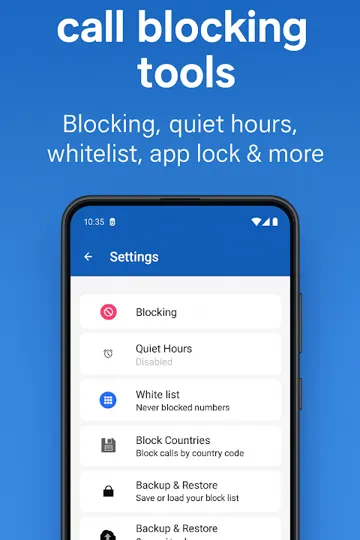
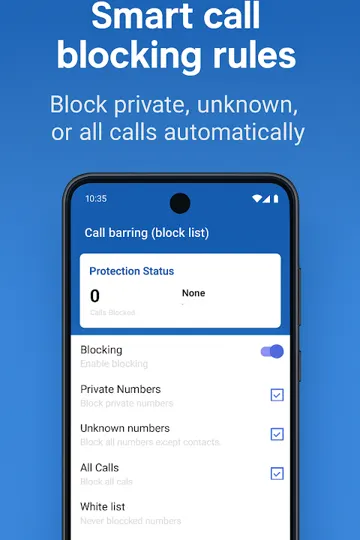
Block by number, prefix, pattern or country code, or block unknown, private or all callers. There is a whitelist, and you choose between reject and silent mode.
Quiet hours that fit your day
Normal quiet hours, plus prayer-time and Ramadan schedules. "Expecting a call" mode lets everyone through for 30–120 minutes.
Emergency breakthrough
If the same number calls three times within five minutes, it rings through, even during quiet hours.
A proper SMS app
Spam folder, MMS, dual SIM and quick reply. Android only lets the default SMS app filter messages, which is why SmartBlock asks for that role.
Reports and backup
Weekly report and statistics. Export to Excel, CSV or PDF, back up to Google Drive, or share a blocklist by QR code.
Your data
Your contacts, call history and messages are processed on the phone and are not uploaded. If you turn on the community spam list, the app downloads number-reputation data from our server. Ads are served by Google AdMob, with a consent prompt where the law requires one. SmartBlock uses Android's call-screening role, so it doesn't need call-log permission.
Questions people ask
Does SmartBlock upload my contacts or messages?
No. Contacts, call history and SMS are read and filtered on the phone. You don't need an account.
Why does SmartBlock want to be my default SMS app?
Android only lets the default SMS app move or hide incoming messages. Without that role, SmartBlock could warn you about a scam SMS but couldn't keep it out of your inbox. Call blocking uses the separate call-screening role.
Will I miss an important call during quiet hours?
If the same number calls three times within five minutes, the call rings through. If you are waiting for a call from an unknown number, like a delivery or a clinic, turn on "Expecting a call" for 30–120 minutes.
Does it understand Arabic scam messages?
Yes. The on-device detector was built for Arabic and English, and every blocked message comes with a short explanation of why it was flagged.
I used Barring Guard. Is this the same app?
Yes. SmartBlock is Barring Guard renamed and rebuilt. It has the same Google Play listing and the same package name, so you get it as a normal update.
Something else? Email support@maxenergic.com and include your phone model and Android version.
More apps from us

PrivatraVPN
An OpenVPN client with free servers, a working kill switch and a stealth mode for networks that block VPNs.

Cycylr
A period, ovulation and pregnancy tracker that learns from your own cycles and keeps the log on your phone.

ModbusBBNew
A Modbus master, scanner, slave simulator and logger for Android, over TCP, USB RS-485 and Bluetooth.